Sorry for the recent outages. A change in servers has lead to a problem with database connectivity. Hopefully the problem is now solved. Thank you for your patience.
BaDboD
[update]All seems to have settled down now. thanks for all your patience[/update]
As Creativerse is now out of early access and in full release a quick update.
To install Creativerse on Linux using Wine I am using Linux Mint 18 (Sarah) but any recent Ubuntu distro should work fine.
1) Install Wine. Preferably Wine Staging
2) Install corefonts using winetricks winetricks corefonts
3) Download and install windows Steam
4) Totally ignore steam not showing the store and go to your library
5) Install Creativerse
6) Play Creativerse.
The release shows much better performance then previous R versions. Using AMD R7-360 I can set all graphics options to max with silky smooth frame rates.
For fixing steam Store and best performance settings see my previous post HERE should you want a fully functional Steam in Linux using Wine.
Please do post any questions, success or fails in the comments.
As promised the install did reboot several times and took almost 10 minutes on a SSD drive. Could be a painful update if your system drive is a hard disk.
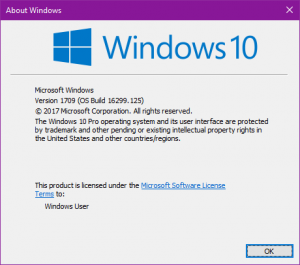
Open a command prompt and you should be looking at: